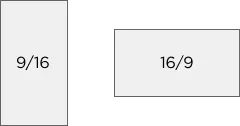
ARTE features for YouTube are available in the following aspect ratios: 9:16, 16:9.
Brandbook
Guidelines for ARTE’s YouTube channels:
ARTE features for YouTube are available in the following aspect ratios: 9:16, 16:9.


RVB 250·72·28
HEX #FA481C
CMJN 0·71·89·2
PANTONE 165 C

RGB 223·223·223
HEX #DFDFDF
CMJN 0·0·0·13
PANTONE Cool Gray 1C

RGB 100·100·100
HEX #646464
CMJN 0·0·0·61
PANTONE Cool Gray 10C
RVB 250·72·28
HEX #FA481C
CMJN 0·71·89·2
PANTONE 165 C

RGB 255·255·255
HEX #FFFFFF
CMJN 0·0·0·0
PANTONE White

RGB 0·0·0
HEX #000000
CMJN 0·0·0·100
PANTONE Black C


The ARTE bug logo is the channel’s identification logo. It is always positioned horizontally in the top right-hand corner of the screen, within the clearance area for widescreen (16:9) broadcasts.
The programme logo is always positioned at the bottom left of the screen.


In/out loop animation.
To send a strong ARTE signal. Usually placed after the first sequence or the first shot.

Placed in the bottom left-hand corner, at the appropriate scale.

Thumbnails are designed to ensure ARTE content is recognised quickly and to enhance its visibility on the platforms. YouTube thumbnails follow the same editorial and visual guidelines.

Font: Gotham Bold
Size: 105px
Line spacing: 100 px
Colour: 255-255-255
Alignment: bottom left
Programme logo: above the title

The recommended resolution for YouTube thumbnails is 1280x720.


Font: Gotham Bold
Size: 70px
Case: Upper case
Line spacing: 70px
Alignment: Centred
Colour: 255-255-255
Border: 250-72-28

The Instagram thumbnail is automatically cropped to a height of 1440px.
The ARTE logo must remain at the top so as not to overlap with Instagram icons. This is the same position as the bug logo.
Social media text helps to provide context and ensure digital platform content is accessible. This includes, in particular, introductory lower thirds for panellists and presenters, archive credits and subtitles.

Font: Gotham Bold
Size: 60px (Name), 50px (Role)
Case: Upper case (Name), lower case (Role)
Colour: 255-255-255
Border colour: 250-72-28 (Name)

Font: Gotham Bold
Size: 60px
Case: Lowercase
Colour: 255-255-255

Font: Gotham Bold
Size: 66px
Case: Lowercase
Colour: 255-255-255
Outline size: 10px
Outline colour: 0-0-0

Font: Gotham Bold
Size: 66px
Case: Lowercase
Colour: 243-206-50
Outline size: 10px
Outline colour: 0-0-0
Packshots ensure that content is easily identifiable and highlight the connection with the ARTE brand identity. There are two versions: title packshots, for content not linked to a specific programme, and programme packshots, which incorporate the visual identity of the programmes themselves.
Title:
Font: Gotham Bold
Size: 70px
Case: Upper case
Line spacing: 70px
Alignment: Centred
Colour: 255-255-255
Author:
Font: Gotham Medium
Size: 60px
Case: Lowercase
Alignment: Centred
Colour: 255-255-255